This is a little project I built back when I was learning iOS development. It was quite useful and gave me some good practice with Swift and UIKit while solving a real problem I had.
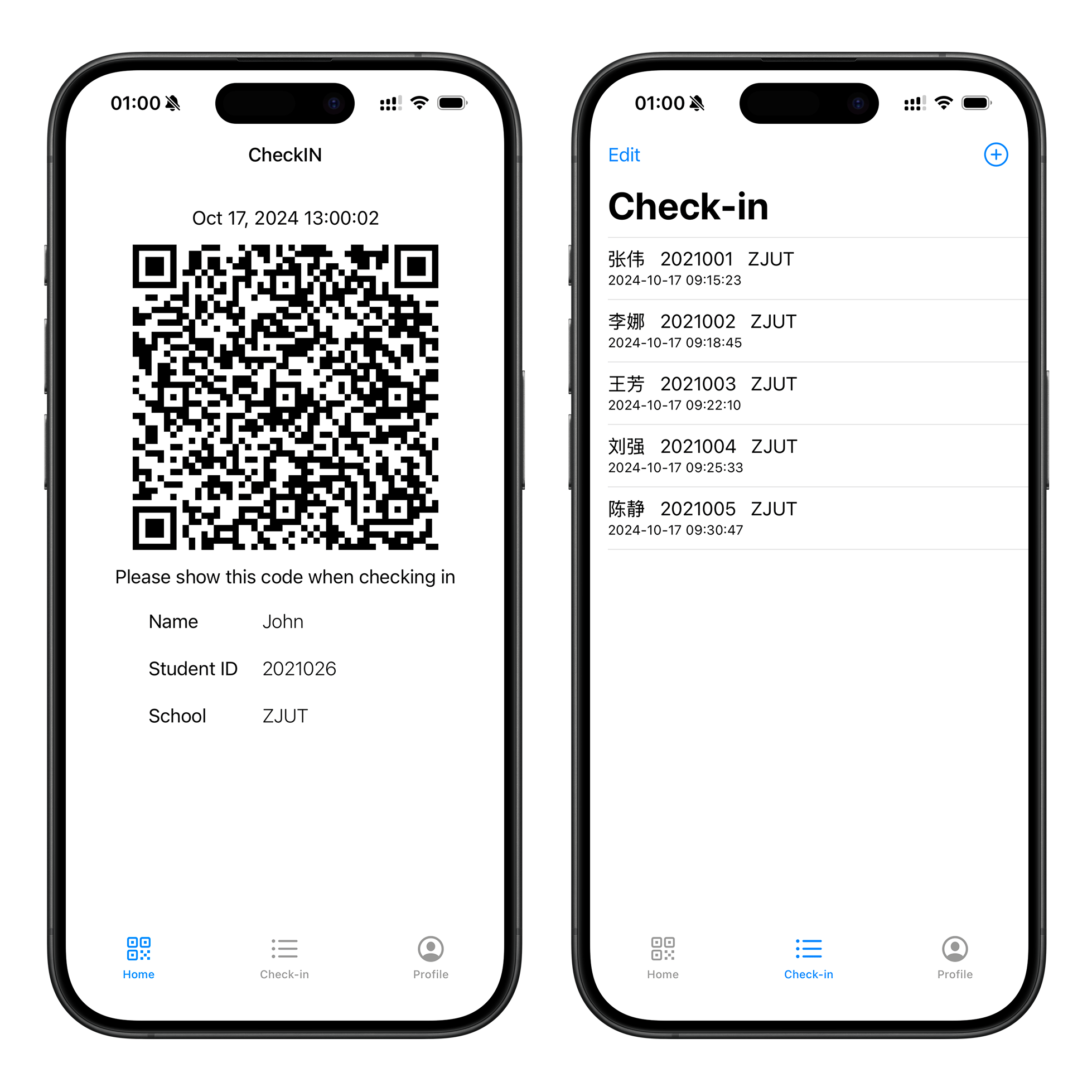
Table of contents
Open Table of contents
How It Started
When I was serving as a discipline committee member (纪律委员) at ZJUT on my class, one of my main jobs was taking attendance for class sessions. Sounds simple, right? But when you’re dealing with a bunch of students and trying to keep track of who showed up and who didn’t using paper forms, it gets messy fast. People’s handwriting is terrible, names get misspelled, and you’re stuck there with a clipboard while everyone wants to leave.
I figured there had to be a better way to do this. Since everyone in China uses WeChat basically 24/7, I decided to build a WeChat Mini Program. I used Vue.js because that’s what I was learning at the time, and honestly, it worked great. Students could just open it in WeChat, no app download needed, and I could check people in way faster. Problem solved!
But Wait, There’s More
Here’s the thing though - I wanted to learn iOS development. I’d been wanting to get into Swift and UIKit, but I never had a good project idea to start with. Then it hit me: why not rebuild CheckIN as a native iOS app? I already knew the concept worked, I understood the problem space, and I could focus on learning the iOS-specific stuff without worrying about whether the app idea itself was any good.
So that’s what I did. I started from scratch with Swift and UIKit, trying to recreate what I’d built as a web app but as a real native iOS application.
What I Built
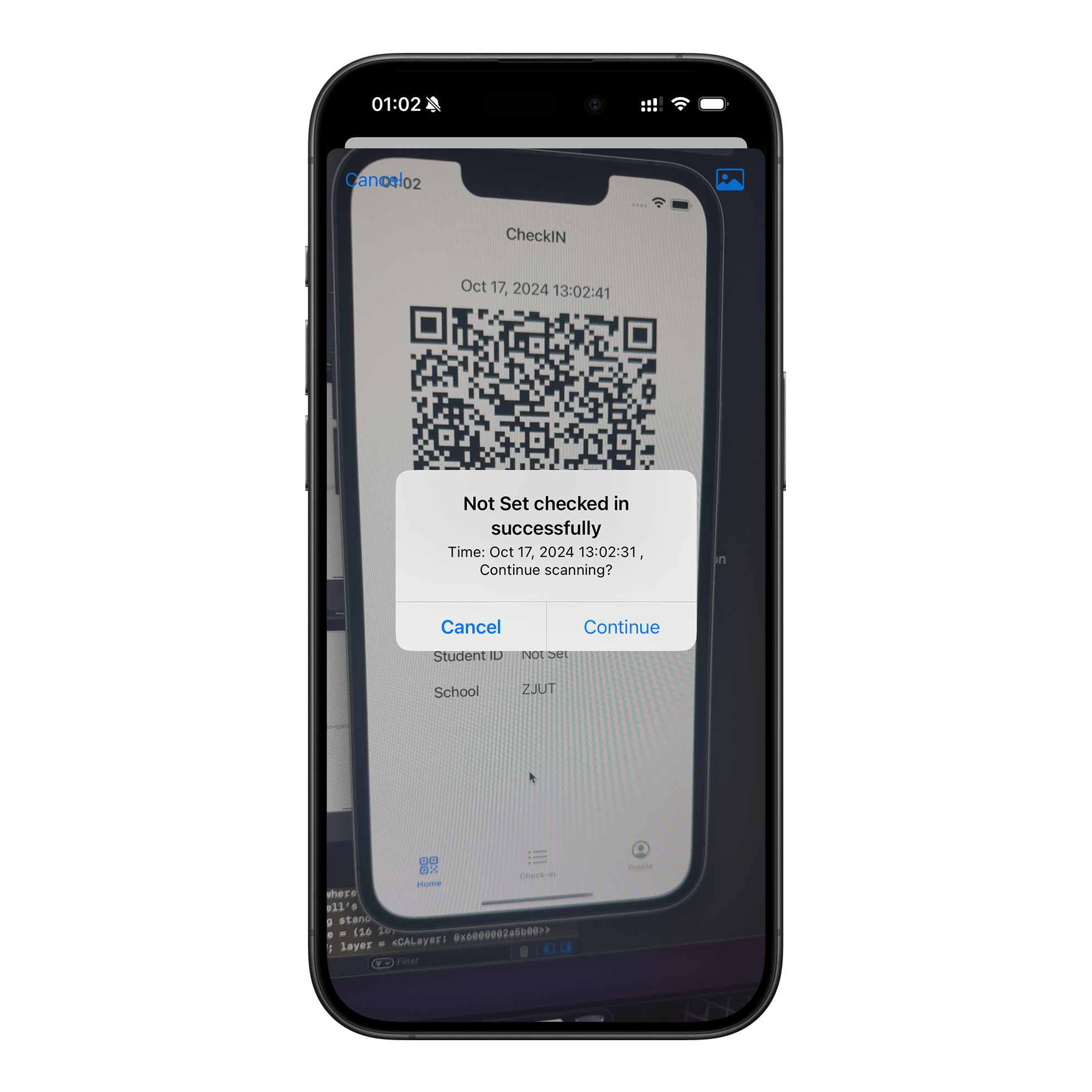
The app is pretty straightforward. When you open it, you can enter your information - name, student ID, and school. Then it generates a QR code that’s unique to you. When it’s time to check in at an event or class, you just show your QR code and the organizer scans it. Done. The app also has a scanner built in, so if you’re the one running the event, you can scan everyone else’s codes.
I also made sure to add both English and Chinese support because, well, I was in China but I figured it would look better in my portfolio to have English too. Plus it was good practice for learning how localization works in iOS.
Technical Stuff
For anyone curious about the implementation, here’s what I used:
Tech Stack
- Language: Swift 5
- Framework: UIKit
- Architecture: Basic MVC pattern
- Minimum iOS: 13.0
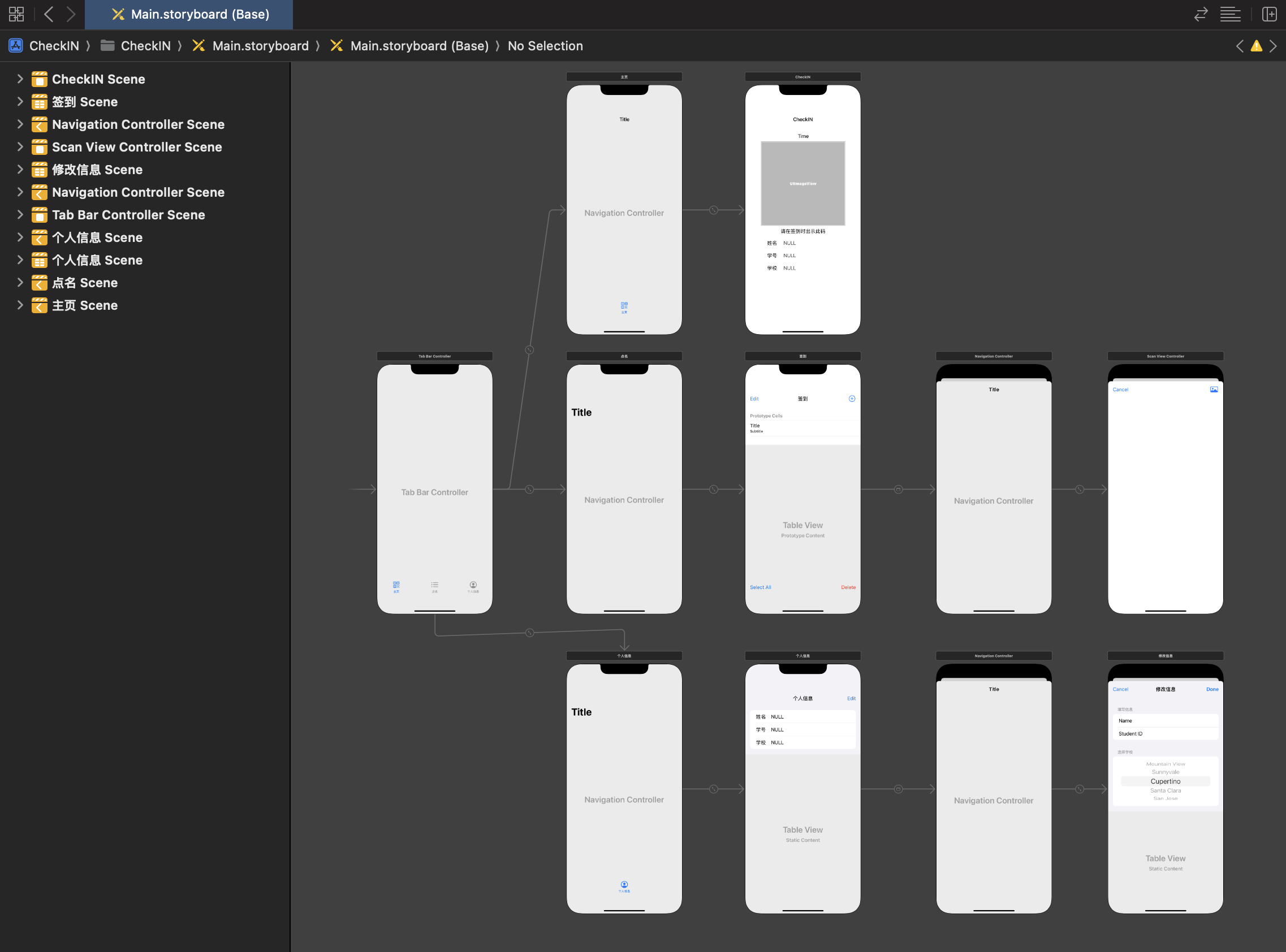
Main Components
- MainViewController - shows your personal QR code
- ScanViewController - camera-based QR scanner
- ProfileViewController - manage your info
- CheckListViewController - see check-in history
The QR code generation was actually easier than I thought. iOS has built-in support for generating QR codes, so I just had to figure out how to encode the user data and display it as an image. The scanning part was trickier because I had to work with AVFoundation and set up the camera properly.
Looking Back
Did the iOS version completely replace the WeChat Mini Program? Honestly, no. Most people still used the WeChat version because it was just more convenient - no separate app to download. But that was never really the point for me. The point was to learn iOS development by building something real, something I could actually use and show to people.
I learned a ton from this project. How iOS apps are structured, how to work with the camera, how to handle user permissions properly, how localization works, and just generally how different native mobile development is from web development.
